Repeat Task
QuickPlanX supports repeating a task to create multiple copies, with options to control the distance, frequency, repeat times, and placement.
Steps
-
Select the task you want to split.
-
Access the task context menu:
- Mac: Right-click (or Ctrl + click) on the task
- iOS: Tap the "
···" button on the action bar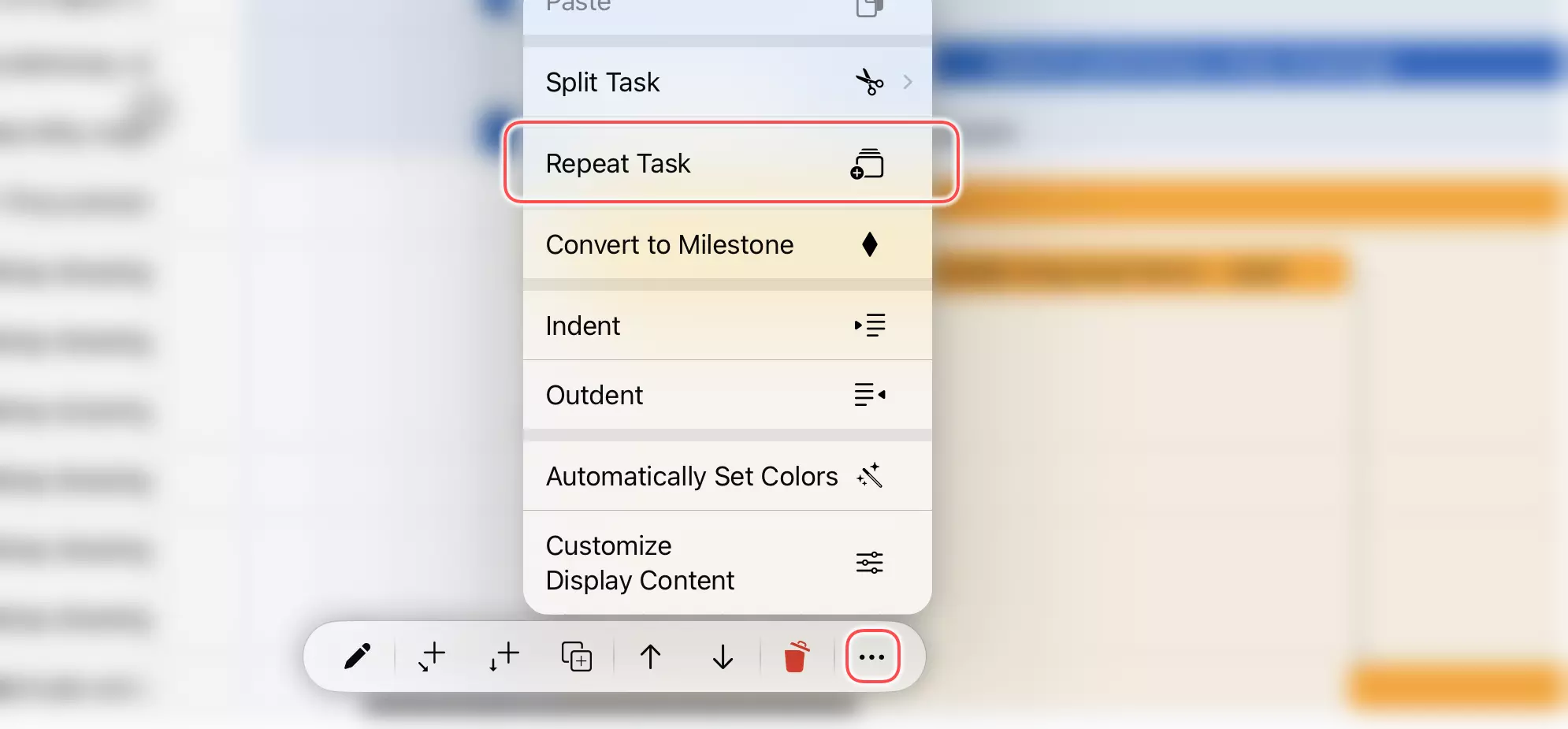
-
Choose "Repeat Task"
-
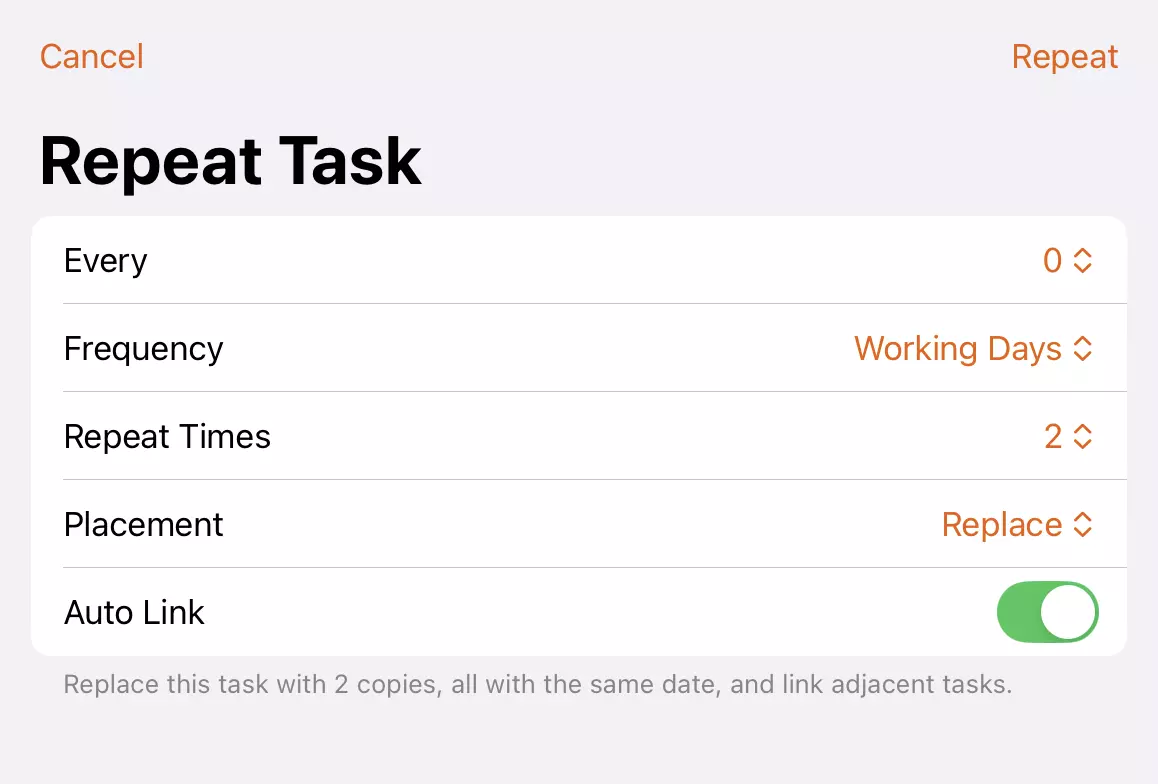
Configure the split settings:
- Every and Frequency: The distance for the start of the repeated tasks.
- Repeat Times: How many times to repeat.
- Placement: Choose where to place the newly created tasks:
- Replace: Replace the current task with the new tasks
- Group: Place the new tasks inside a new task group
- Subproject: Place the new tasks inside a new subproject
- Auto Link: Specify whether to link the newly created tasks together
-
Confirm the repeat to create the new tasks.