Construction Schedule App for Mac and iPad: From Office Plan to Jobsite Updates
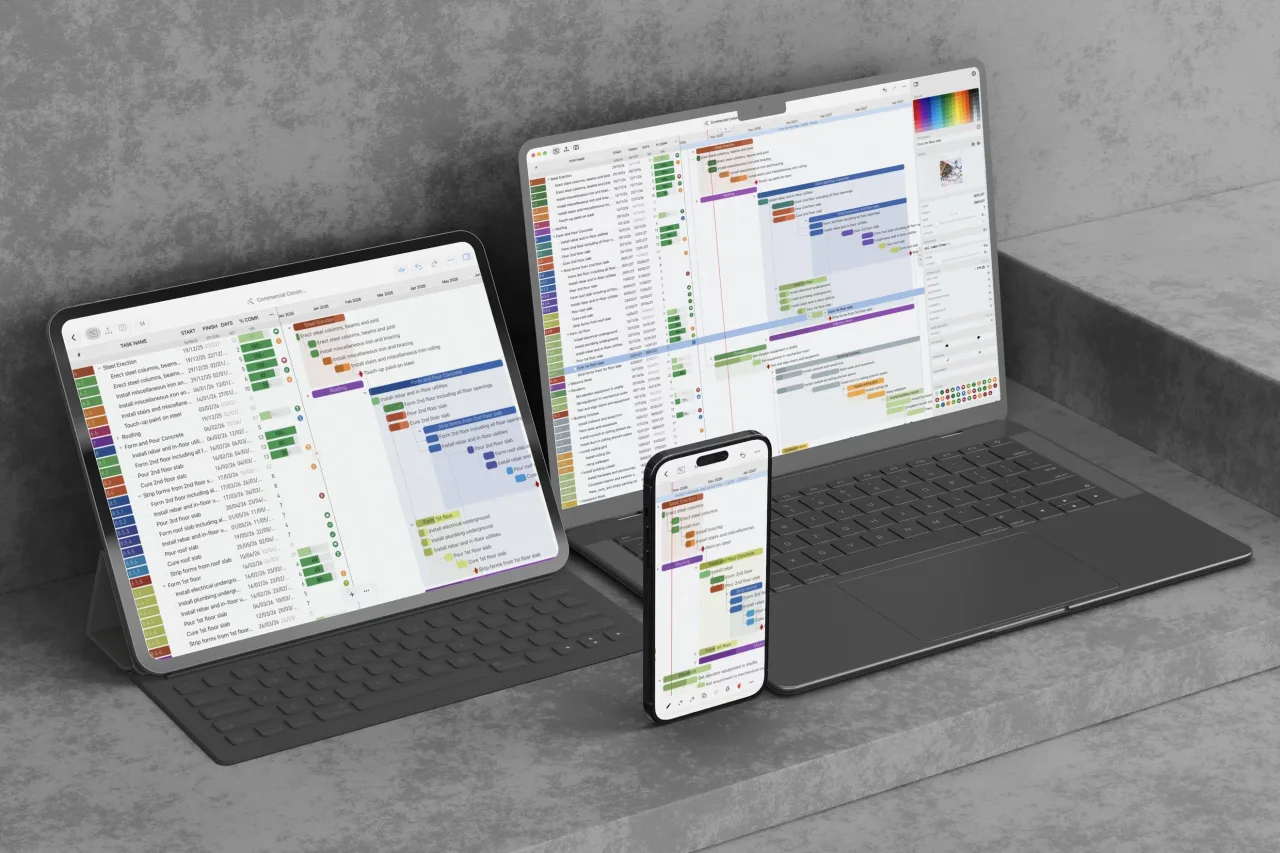
Quick Look:
- Built for real building phases & trades: Organize multi-level construction schedules (site prep, shell, MEP, interior fit-out, handover) with automatic summary rollups, milestones, and working calendars.
- Mac at the desk, iPad offline on site: Draft complex trade sequences with keyboard speed on Mac, then update progress and dates offline on iPad during site walks—changes sync automatically via private iCloud (CloudKit).
- Critical path & baseline control: Spot which delayed trade actually threatens handover and compare live site progress against your saved contract baseline.
- Connects to CostX & Microsoft Project XML: Import estimate hierarchies directly from CostX, paste rows from Excel/Numbers, and exchange core schedule data via bidirectional MS Project
.xml. - Transparent universal pricing: $15.99/year (or $3.99/month USD) covers Mac, iPad, and iPhone—start with a 10-day free Real Trial with no payment details required.
Most construction schedules start in a spreadsheet or a contractor's Windows-only desktop tool and quietly fall out of date by week three. A concrete pour shifts by two days, an electrical inspection moves to Friday, and suddenly the printed Gantt chart taped to the site office wall no longer matches reality.
For architects, site managers, civil engineers, and independent contractors who work on Mac and iPad, the gap is practical: you need real critical-path scheduling without paying enterprise seat fees or carrying a Windows laptop onto a dusty jobsite.
How Do You Build a Reliable Construction Schedule on Mac?
To build a reliable construction schedule on Mac, start by structuring phases and trades into a multi-level work breakdown structure (WBS), link dependent trades on an interactive Gantt chart, define working calendars and inspection milestones, and lock a baseline before work begins. QuickPlanX automates date rollups and highlights the critical path so delays surface immediately.
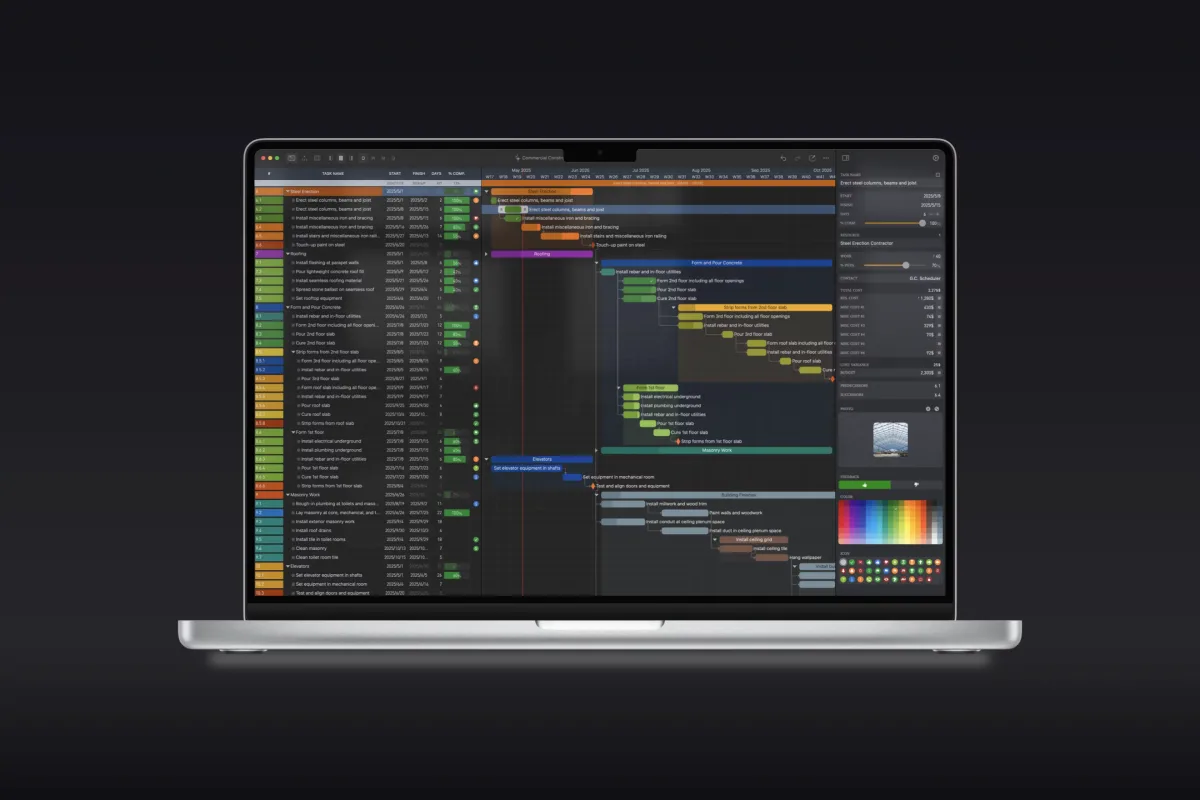
A practical construction scheduling workflow in QuickPlanX takes four repeatable steps:
- Structure phases and trades (WBS): Group work into clear phases—such as site preparation, foundation, structural shell, roofing, MEP rough-in, interior finishing, and final handover. You can outline quickly in Tree View, paste an indented plain-text trade list, paste rows from Excel or Numbers, or import an existing CostX estimate hierarchy.
- Set working calendars and durations: Configure project working days and non-working holidays so five-day trade durations automatically skip weekends and site closures.
- Link trade dependencies and milestones: Hold
Fnand drag between task bars on Mac to connect Finish-to-Start (FS) handoffs—for example, framing before rough-in, rough-in before drywall, and inspection milestones before sign-off. - Save a baseline and monitor the critical path: Capture your approved baseline before mobilization. As actual dates move, QuickPlanX overlays live bars against the baseline and highlights the zero-float critical path governing your handover date.
Why Is an iPad Better for Updating Construction Schedules on Site?
An iPad lets site managers review and update the live Gantt schedule directly during jobsite walks—even without cellular reception or Wi-Fi—instead of jotting notes on paper and re-entering them back at the office. Because QuickPlanX is local-first on iPadOS, every progress update, shifted trade date, or field note saves locally and syncs automatically to your Mac via private iCloud (CloudKit) once back online.

Many project tools reduce their iPad app to a read-only viewer or require a constant browser connection. QuickPlanX runs the full scheduling engine natively on iPad:
- Offline-first reliability: Open full project schedules in basements, rural sites, or unfinished shells with zero connectivity.
- Touch and Apple Pencil ergonomics: Adjust progress percentages, shift trade start dates, and add field observations through the contextual action bar and Inspector.
- Instant site-meeting exports: Generate a clean PDF Gantt chart, milestone summary, or PNG timeline directly from the iPad to share with owners or subcontractors immediately after a walkthrough.
- No third-party cloud lock-in: Your project data stays in your private Apple iCloud (CloudKit) database under your own Apple ID.
What Separates a Dedicated Construction Gantt App from Spreadsheet Templates?
Spreadsheet construction templates draw static colored cells that break the moment one subcontractor slips, forcing you to manually recalculate dozens of downstream rows. A dedicated native Gantt app like QuickPlanX enforces dependency logic, working calendars, summary rollups, critical-path calculation, and baseline variance automatically across Mac, iPad, and iPhone.
| Scheduling Requirement | Spreadsheet / Static Template | Native Gantt App (QuickPlanX) |
|---|---|---|
| Phase & Trade Hierarchy (WBS) | Manual indentation and fragile formulas | Unlimited WBS levels with automatic summary dates & progress |
| Trade Dependencies & Rescheduling | Manual date edits when a trade slips | Interactive links on the Gantt chart with automatic cascade |
| Critical Path & Baseline Variance | Not built in | Highlighted critical path + saved baseline overlay on live bars |
| Jobsite Offline Updates (iPad) | Clunky zooming on small cells | Full native iPadOS scheduling engine, offline-first + CloudKit sync |
| CostX & MS Project Integration | Manual re-entry | Direct CostX import + bidirectional MS Project .xml exchange |
| Owner & Subcontractor Reports | Awkward page breaks when printing | Print-ready PDF, PNG image, CSV, S-Curve, resource & milestone reports |
How Do You Share Schedules with Clients, CostX, and Microsoft Project Teams?
Construction projects rarely run in a single software ecosystem: estimators work in CostX or Excel, owners expect readable PDFs, and general contractors often use Microsoft Project on Windows. QuickPlanX bridges these handoffs cleanly without forcing stakeholders to install new software:
- CostX estimate import: Bring CostX work breakdown structures directly into QuickPlanX as the starting backbone for your construction timeline.
- Bidirectional Microsoft Project XML (
.xml): Open MS Project schedules saved as XML on Mac or iPad, update progress, and export full projects or individual trade branches back to.xml. Core fields—WBS hierarchy, task names, dates, durations, Finish-to-Start dependencies, milestones, resources, and progress—transfer reliably (note: QuickPlanX schedules at day granularity, does not open binary.mppfiles directly, and keeps app-specific visual colors or attached photos local). - Stakeholder-ready reports: Export clean PDF, image, CSV, S-Curve, resource, and milestone reports, or publish key handover and inspection dates to Apple Calendar and Outlook via iCalendar (
.ics).
For a detailed comparison with Windows desktop scheduling tools, see our Microsoft Project Alternative for Mac & iPad guide.
Frequently Asked Questions
What is the best construction schedule app for Mac and iPad?
QuickPlanX is a native universal Gantt chart and WBS scheduling app for Mac, iPad, and iPhone. It combines multi-level phase and trade hierarchies, dependencies, critical path, baselines, CostX import, Microsoft Project XML (.xml) exchange, and offline-capable iPad field updates for $15.99/year USD (or $3.99/month) under a single Apple ID subscription.
Can I update my construction schedule offline on an iPad at the jobsite?
Yes. QuickPlanX uses a local-first architecture so you can view and edit full construction schedules completely offline on iPad, Mac, or iPhone. Once your device reconnects to Wi-Fi or cellular data, updates synchronize automatically across your devices through your private Apple iCloud (CloudKit) database.
Can QuickPlanX import CostX estimates and Microsoft Project files?
Yes. QuickPlanX imports CostX estimate hierarchies, OPML outlines, and spreadsheet rows copied from Excel, Apple Numbers, or Google Sheets. For Microsoft Project collaboration, it supports bidirectional .xml import and export for core schedule data (WBS, dates, durations, FS dependencies, milestones, resources, and progress; binary .mpp files are not opened directly and scheduling is day-based).
How much does QuickPlanX cost, and is there a free trial without a credit card?
QuickPlanX costs $15.99/year (or $3.99/month USD) for one universal subscription covering Mac, iPad, and iPhone. Every user starts with a 10-day Real Trial with full access to all features—no credit card, no upfront subscription, and zero auto-renewal risk. On Day 11, your schedules remain safely stored in read-only mode until you decide to subscribe.
Ready to build your next construction schedule on Mac and iPad?

Related articles: Gantt Chart App for Apple Devices · Project Scheduling Software for iPad and Mac · Project Planning App for Apple Devices · One App for iPhone, iPad, and Mac · Keep Every Device in Sync · In-Progress Tasks and Widgets · Microsoft Project Alternative · iTaskX Alternative